Quick Answer: The best chore app for multiple kids is the one that keeps per-child task assignment, parent approval, fair rotation, and co-parent sync intact as siblings are added, not the one with the most games or badges. Check those four mechanics before comparing point systems or reward stores.
Managing chores for multiple kids gets complicated quickly. One child might be old enough to handle laundry, while a younger sibling is still learning to put toys away. Add different schedules, disagreements over who did what, and the occasional argument about fairness, and a simple chore chart can become another thing for parents to manage.
The right chore app should make it easier to assign tasks, track each child's progress, and keep rewards fair without making parents the family scorekeepers. Here's what to look for before choosing one.
What Actually Matters When You Have More Than One Kid on a Chore App
A chore app built for one child often breaks down the moment a sibling is added. The mechanics that matter change once there's more than one kid in the system, not the colors or the mascots.
Per-child task assignment vs shared list. A single shared chore list forces kids to negotiate who did what. An app needs separate task queues per child so each kid sees only their own assignments.
Parent approval before points awarded. Without a review step, a kid can mark a chore "done" and claim points for work that wasn't finished. Approval workflows close that gap.
Fair rotation so no kid is stuck doing the same chore. If the same child always gets dishes while a sibling gets folding laundry, resentment builds fast. Chore rotation spread unpopular chores evenly over time.
Co-parent visibility across two homes. In split households, both parents need the same view of chores, points, and rewards, to be on the same page. Not two separate, conflicting records.
Best Chore App for Multiple Kids: The Decision Framework
Score any app against the four criteria above before looking at anything else.
- Check if each child can be assigned chores separately.
- Does a parent approve completion?
- Does the app rotate tasks?
- Does data sync between two homes if applicable?
A system that holds fairness and oversight together as the family grows is the most ideal.
How Kidkarma Handles Multi-Kid Households
Kidkarma is built around multi-kid households and multi kid logins rather than around a single shared list.
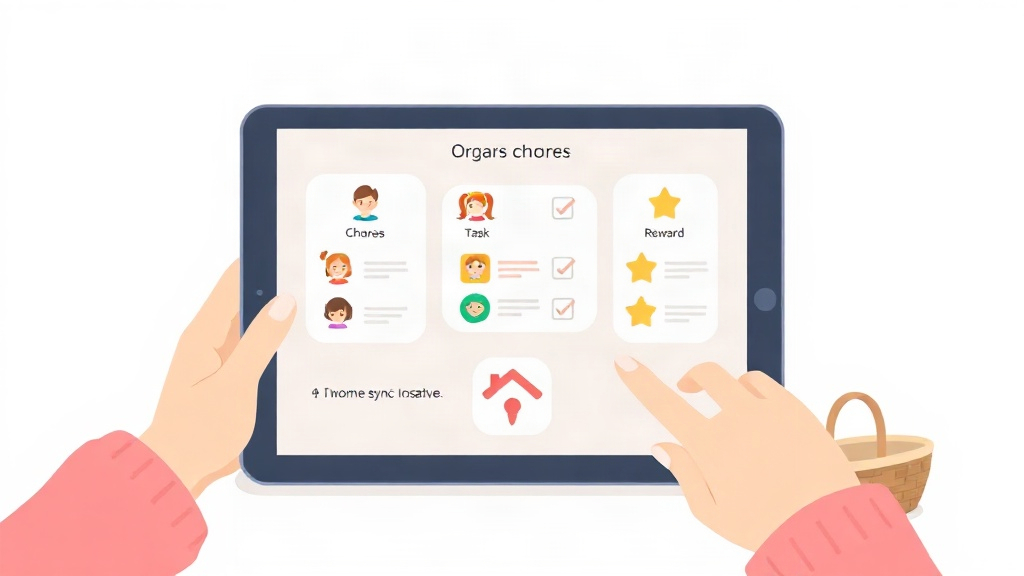
Task management for kids assigns chores to each child individually, so a 6-year-old and a 12-year-old in the same house don't see the same queue.
Smart point system and reward marketplace track points per child and let each kid redeem rewards from a shared or personalized marketplace without touching a sibling's balance.
Gentle penalties and activity history give parents a record of what was completed, skipped, or adjusted, so accountability doesn't depend on memory.
QR code kid login and custom avatars per child mean each kid logs into their own profile instead of sharing a single family account, reducing mix-ups over whose chores are whose.
Two-home sync for co-parents keeps chore lists, points, and reward history consistent whether a child is staying with one parent or the other.
Smart reminders and progress charts nudge kids about pending tasks and let parents see completion trends per child over time.
See how Kidkarma handles siblings specifically for more detail on rotation logic across multiple kids.
For families managing a child with attention differences alongside siblings, the best ADHD chore apps roundup covers additional considerations.
Feature Comparison. What to Check Before You Pick an App
Use this table as a checklist when comparing any chore app for a multi-kid household, Kidkarma included.
| Criterion | What to look for | Why it matters with multiple kids |
|---|---|---|
| Assignment style | Per-child task queues, not one shared list | Prevents confusion over whose chore is whose |
| Approval step | Parent reviews before points are awarded | Stops false completions from draining the reward pool |
| Rotation support | Built-in logic to rotate unpopular chores | Keeps one kid from always getting the worst jobs |
| Co-parent sync | Shared view across two homes | Avoids conflicting records after custody transitions |
| Privacy design | Data handled with a privacy-first approach | Protects each child's activity and account details |
Worth Paying Extra For: Two-home sync for co-parents is worth prioritizing if your kids splits time between households, since mismatched records are one of the most common sources of chore disputes.
How Many Chores Should Each Kid Have?
Chore load should scale with age, not be identical across siblings. A 3-year-old can handle one or two simple tasks like putting toys away, while a 7-year-old can typically manage a short daily list covering their room, dishes, or pet care. Teens can take on multi-step responsibilities like laundry or meal prep.
The number matters less than the rotation. If an older sibling always gets more chores, fairness tracking should account for that, so points stay proportional to effort, not just task count. Reviewing chore apps built for teens and tweens can help calibrate load for older kids specifically.
Setting Up a Fair Chore System for the Whole Family
Setting up a fair system for multiple kids follows a repeatable sequence, not a one-time setup.
- Assign per child: Give each kid their own task list matched to their age, not a copy of a sibling's.
- Rotate regularly: Swap undesirable chores on a set schedule, weekly or biweekly, so no one is permanently stuck with the worst job.
- Reward consistently: Award points through an approval step every time, so kids trust that the system is fair and not arbitrary.
- Review progress charts together: Sit down with the family periodically to look at completion trends and adjust chore loads if one kid is consistently overloaded.
Kidkarma's progress charts and activity history support that review step by showing completion patterns per child over time, so adjustments are based on data instead of guesswork.
Start comparing your household's needs against the four criteria above, then see the Kidkarma app to check how it handles your specific family setup.